CV Builder
A CV editor with no template to fight: move any block on a real A4 page, let text reflow across pages, and export a PDF identical to the screen.



Why I built it
I wanted a CV tool I could actually edit. The one I had been paying for every month still decided the layout for me: fixed sections, a fixed order, and no way to move a block or add one it had not thought of.
So CV Builder starts from the other end. A CV is composed from structural boxes (rows, columns, nested boxes) and content elements (headings, rich text, lists, date ranges, ratings, tags, icons, photos). Anything can be moved, nested, restyled or removed, including whatever a template put there.
The discipline a design tool lacks comes from the page itself. Text flows onto the next A4 page by itself, including inside nested columns, and the exported PDF is the same document the editor shows, not a re-render that is almost the same. Full control of the layout, with the page still behaving like a page, is the whole reason the project exists.
It is desktop-first on purpose: editing a two-column layout with drag and drop on a phone is a bad experience, so on mobile the app offers the CV list, a preview scaled to the screen and the PDF download.
Templates that stay editable
Twenty templates are functions from structured CV data to a document, built from a library of sections (header, experience, skills, languages and more), each with several layouts. Picking one never locks anything.
Themes as tokens
Styles can point at theme tokens instead of fixed values, so switching one of 24 palettes or 15 font pairs restyles the whole CV at once. 14 curated presets are browsed in a modal.
A section wizard
Adding "Experience" or "Education" is one step: the wizard inserts a ready section from the same library the templates use, already in the CV’s style.
Import an old CV with AI
Drop in a PDF and pick a template while looking at your own content, instead of retyping a CV just to try a new tool.
Portable files
Any CV exports as a
.cvjsonfile with its photos embedded, and imports back as a new CV, re-uploading the photos into its own folder.An editor that gets out of the way
Dockable panels, live previews of blocks while you drag them, a layers tree, a style clipboard, inline rich text and an undo history of its own.
What you do with it
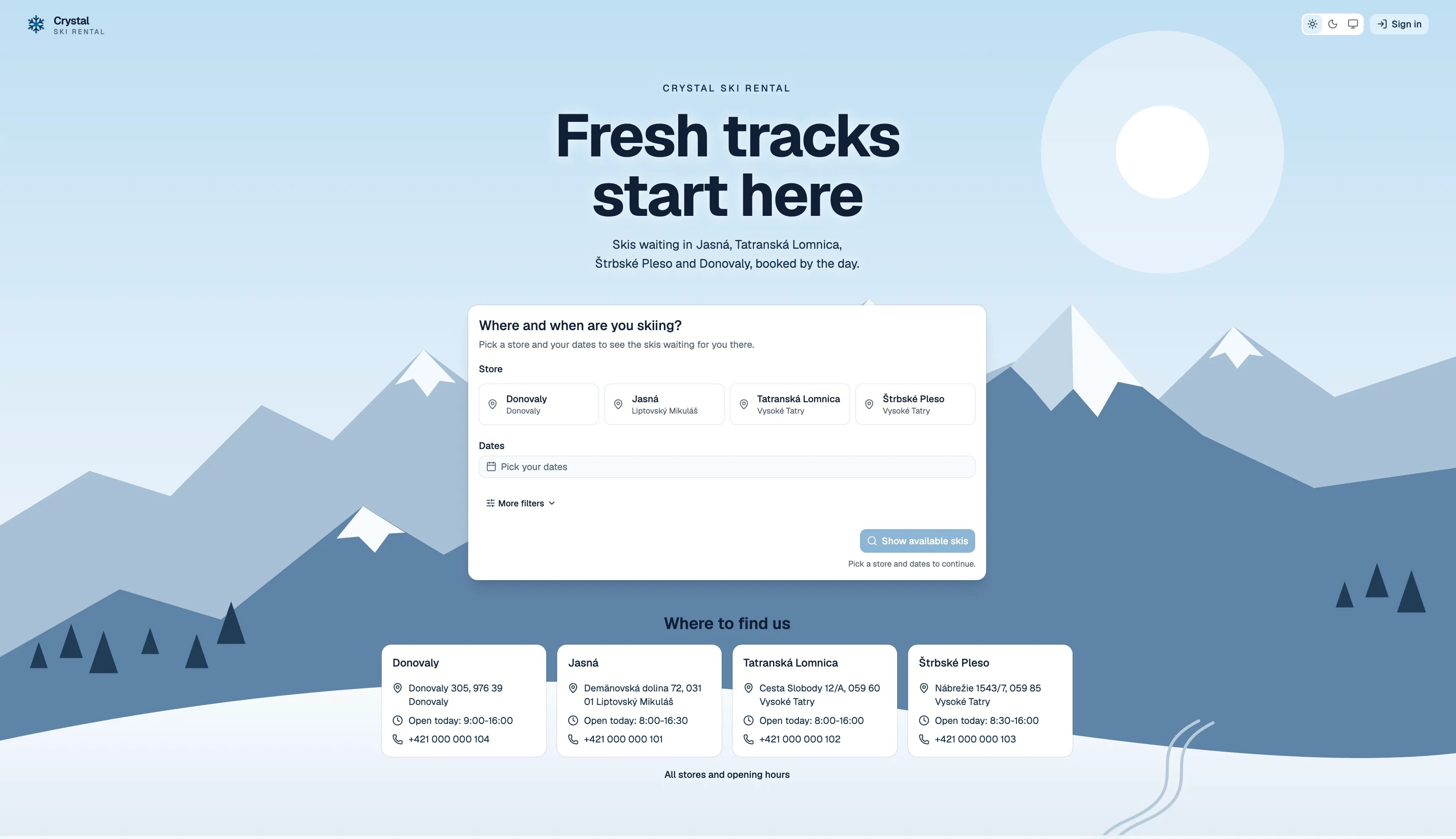
Five screens carry the whole product. Click any of them to see it full size.
Keep one profile, not five CVs
Every role, project, skill and school lives in one profile, whether or not it fits on a page. A CV is a selection from it, so tailoring one for an application is picking, not retyping.
Start from a template that already has your content
Twenty templates render with your own profile straight away, so you are choosing a layout you can actually read. Colours and fonts swap before anything is created.
Edit on a real page
Blocks are dragged onto an A4 canvas, the layers tree keeps the structure visible, and the inspector edits whatever is selected, down to margins in millimetres.
Export a PDF that matches the screen
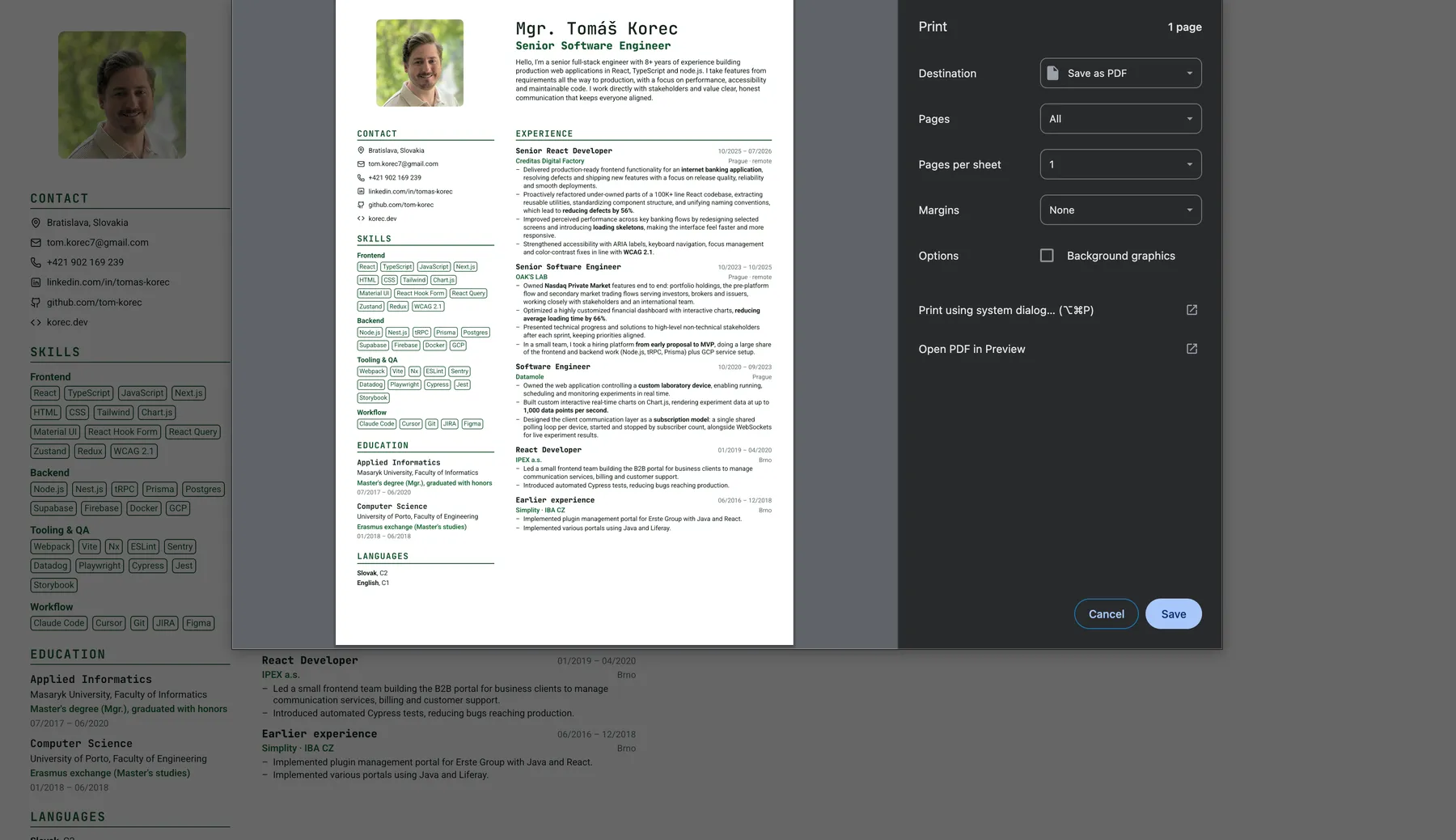
The PDF is the same paginated document the editor draws, with selectable vector text. There is no second layout engine, so nothing shifts between preview and file.
Keep a CV per application
Every CV in one list, each card drawn from the document itself, with its page count and when it was last edited. Duplicate one and adjust it for the next role.
Built with
- App
- React 19
- TypeScript
- Vite
- React Router
- TanStack Query
- Tailwind CSS
- Base UI
- Editor
- Zustand
- Immer
- dnd-kit
- Tiptap
- Document
- Zod schemas
- Migrations
- Paginator
- Backend
- Supabase Auth
- PostgreSQL
- Row-level security
- Storage
- Edge Functions
- Server
- Cloudflare Workers
- Browser Rendering
- Workers KV
- Claude API
- Quality
- Vitest
- ESLint
- TypeScript strict
- Hosting
- Vercel
- Cloudflare
How the interesting parts work
Three things took most of the time: turning a tree of blocks into A4 pages, reading an existing PDF back into structured data, and keeping the whole thing inside free tiers.
From a tree of blocks to A4 pages
Browsers do not tell you where a page would break. So the pages are never stored: they are derived from the document every time, by a core in src/document that has no UI code in it.
One document
A normalised tree of nodes, validated by Zod and saved as a single
jsonbdocument. A schema version and code migrations keep old CVs opening.Measure
The tree is rendered once as a continuous layout, and every block is measured.
Paginate
The paginator splits it into A4 fragments: between the children of a box, column by column inside rows, between list items. Keep together, keep with next and page breaks are honoured.
Render anywhere
The same paged document draws the editor canvas, the preview and a bare print route.
Print
A Cloudflare Worker opens the print route in headless Chromium and returns a vector PDF. Without it, the browser print dialog does the same job.
Because the editor, the preview and the PDF all come from that one paginated document, there is no second layout engine to drift out of step. A single off-by-one in the paginator would shift an entire CV, so it is the most tested part of the codebase. Background shapes (blobs, rings, waves, dot and stripe patterns) are drawn behind each page and never take part in pagination, so decoration cannot push content onto another page.
Reading an old CV back in
Retyping a CV into a new tool is the moment most people give up, so the new-CV page accepts an existing PDF and turns it into an editable document.
Read in the browser
pdf.js (loaded only when needed, so the editor never carries it) extracts the text and rebuilds lines from glyph positions.
Ask for structure
The Worker sends the text to Claude with a strict JSON schema and gets the semantic CV data back. The API key never reaches the browser.
Choose a look
The parsed CV fills the template gallery, so every template previews with your own content.
Create
Nothing is stored until you press Create CV. Then it opens in the editor, fully editable.
AI calls cost money, so imports are gated by account tier. The tier can only be read from the browser, never changed: row-level security has no update policy for it. A single Postgres function claims one credit atomically, so two imports started at once cannot both spend the last one, and a call that fails gets its credit back. One Supabase edge function answers "may this user import?" for both the app and the Worker, which is also where a payment provider will plug in.
Decisions that keep it on free tiers
Postgres as a document store
A CV is one
jsonbcolumn whose shape belongs to the Zod schema, so a new element type never touches SQL. Relational columns exist only for the list page and ownership, and the list never downloads the documents.Saves that notice a second tab
Every save goes through a small Postgres function that only writes if the revision is the one the editor loaded. If another tab got there first, the editor asks whether to reload or overwrite instead of silently losing work.
One schema package for app and Worker
@cv/schemaholds the schemas, defaults, presets, templates and migrations, and is shared by the web app and the Worker, so both agree on what a document is.Limits where the free tier has them
PDF rendering is capped per user per day with counters in Workers KV, falling back to browser print. Supabase pauses idle free projects, so the Worker runs a daily cron that keeps it awake.
Auth links that explain themselves
Every e-mail link lands on one callback route that finishes the sign-in, or says clearly that the link expired, was already used or was opened in another browser, instead of bouncing to the sign-in page.
Where it stands
Works today
- The editor, pagination and vector PDF export, end to end
- 20 templates, the section wizard, themes and background shapes
- AI import from PDF, gated by account tier
.cvjsonexport and import, light and dark theme- Deployed: the app on Vercel, PDF rendering on a Cloudflare Worker
Next up
- Import from DOCX, and scanned PDFs that need OCR
- Custom SMTP, which unlocks the branded auth e-mails already written
- Payment plans behind the existing tiers