MyCards
A private loyalty card wallet for iOS and Android that opens the right card by itself when you walk into the shop.
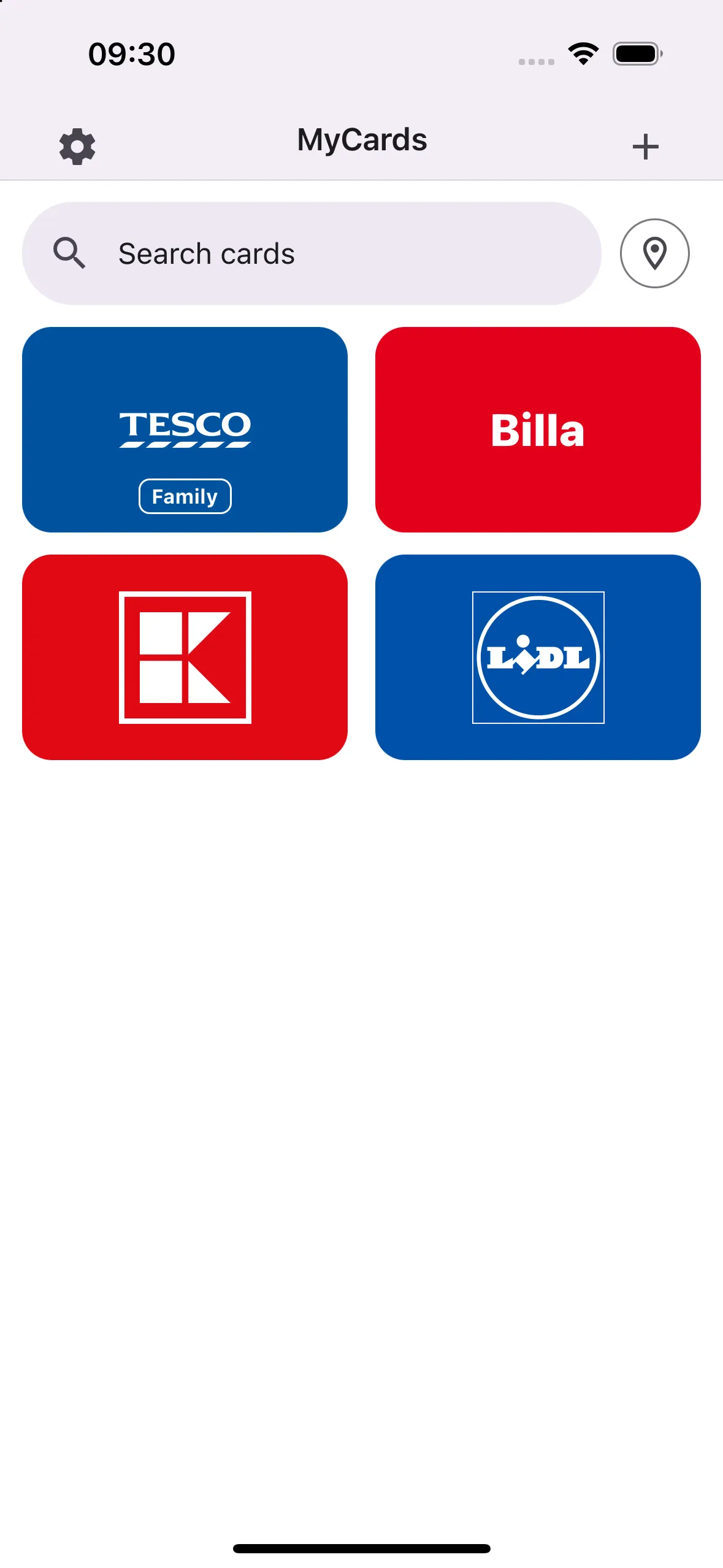
Cards in their brand colours, ranked by how often you use them. 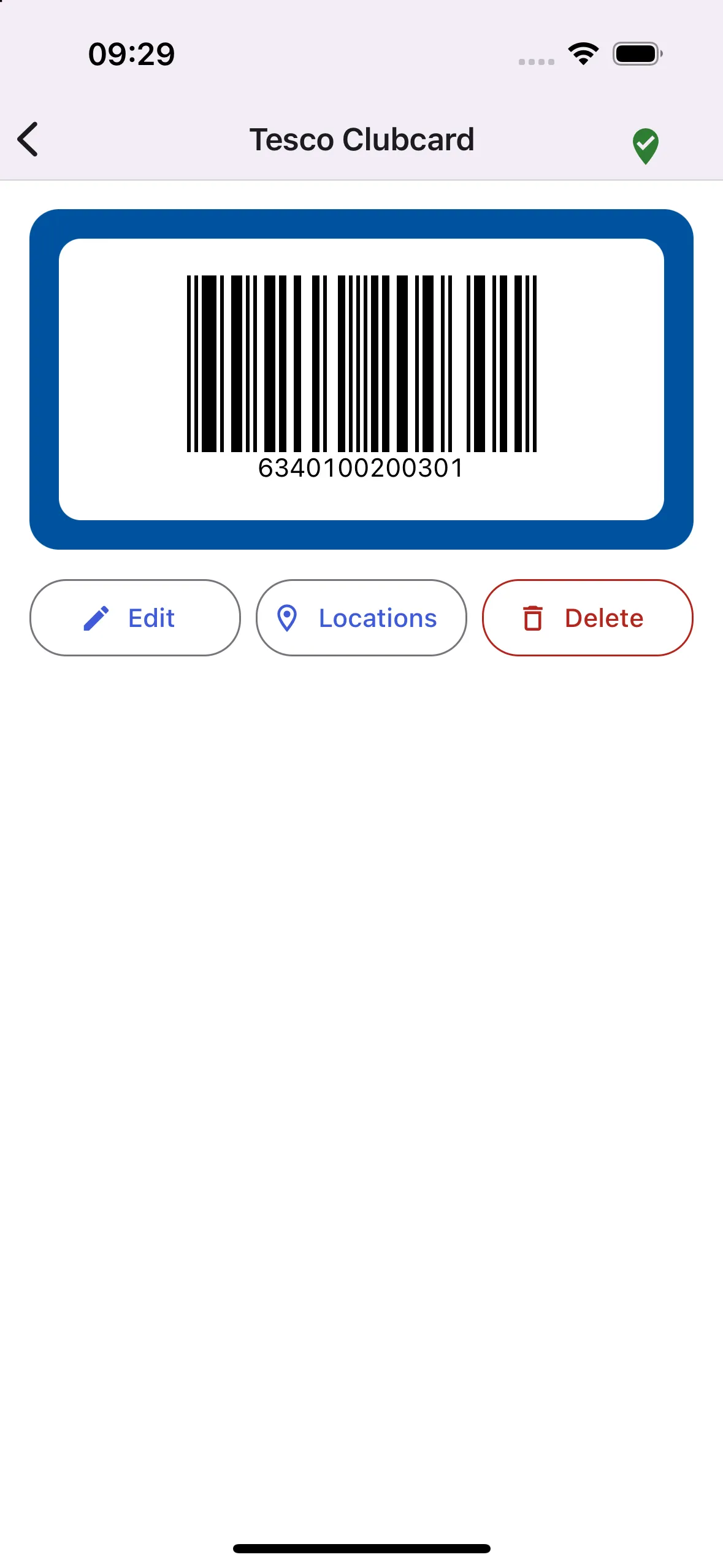
Near the shop, this is what opens: the code, big, with the screen at full brightness.
The right card before you ask
Standing at a checkout, scrolling through a dozen loyalty cards while the queue waits, is a small annoyance that happens every day. MyCards remembers where you use each card, so when you open it in the shop, that card is already on screen.
What happens when you open it
Open the app
The check runs on launch and whenever the app comes back to the foreground.
A quick position
The last known position answers instantly, then a fresh fix refines it.
Match
Your position is compared with every location saved on your cards, by great-circle distance within a radius you choose: 25, 50 or 100 metres.
Exactly one match
The card opens
Full screen, with the barcode as large as it fits and the screen brightness turned up for the scanner.
Several matches
Only what is near
A shopping centre has many shops, so the list filters to the cards near you, closest first.
No match
Your usual cards first
All cards, ranked by how often you opened them in the last 30 days.
An app that changes screens on its own can easily become annoying, so the auto-open has manners. It only happens within the first seconds after launch, never once you have touched the screen, and it re-arms only after you have been away for a while. A card opened by mistake and closed within a minute does not count towards the ranking.
Private by design
Card numbers and the places you shop say a lot about you. So the rule from day one: no ads, no accounts, no backend. Everything stays on the phone.
Locations stay with the card
A location is saved only when you press "I am at this shop now", only on that card, and only on your phone. Saving the same shop twice merges into one.
No database for twenty cards
The whole model is a few dozen kilobytes, loaded on every launch, so it lives as three JSON documents in a crash-safe key-value store instead of tables. The cards document is also the backup format.
Never overwrite what cannot be read
If stored cards ever fail to parse, the app stops on a recovery screen that lets you share the raw data, and blocks every write until you decide. It never quietly replaces your cards with an empty list.
Backups without an account
Android Auto Backup is configured through a custom Expo config plugin. Sync through your own iCloud is planned, which keeps the "no account" promise because the data never passes through a server of mine.
Adding a card in seconds
Start from the brand
Pick from about 55 Czech, Slovak and European brands, with their colours and logos, or make a custom card with your own colours and a small tag like "Family".
Scan it
Scan the barcode or QR code with the camera or from a photo, or type the number in.
Never ask about formats
Nobody knows whether their card is EAN-13 or Code 128. The format is derived from the scan or the number and never shown, and only formats the app can also draw are accepted.
Small app, real engineering
Pure logic, thin screens
Repositories are pure functions over in-memory arrays with an injectable clock, and the location matcher is a pure function returning none, one or many. Only one module touches storage, which makes the interesting logic easy to test.
Schema migrations on a phone
Adding brands changed the card shape. Stored documents carry a version and are upgraded on load, so cards saved by the first build open in the current one.
Found on a real iPhone
Two bugs the simulator never showed: a scanned code never reached the form, because dialogs rendered behind a native modal (fixed with in-tree overlays), and the camera would not focus on a card held close (fixed by cycling autofocus).
Quality gates on every commit
Strict TypeScript, ESLint and Prettier run before each commit, type-checking and the test suite before each push.
- App
- React Native
- Expo
- TypeScript
- Expo Router
- React Native Paper
- State and data
- Zustand
- expo-sqlite key-value store
- Device
- expo-camera
- expo-location
- expo-brightness
- Quality
- Jest
- Testing Library
- ESLint
- Prettier
- lefthook
- Builds
- EAS Build
Where it stands
Works today
- Cards with brands, colours and logos; scanning and drawing codes
- Opening the right card by location, with a near-me list
- Usage ranking, undo on delete, a recovery screen for damaged data
- Built for iOS and Android from one codebase, tested on a physical iPhone
Next up
- Sharing a card by link: the details travel in the URL fragment, so they never reach a server log, and locations and notes are never shared
- Sync through the user’s own iCloud
- An Android device build, then TestFlight and the App Store